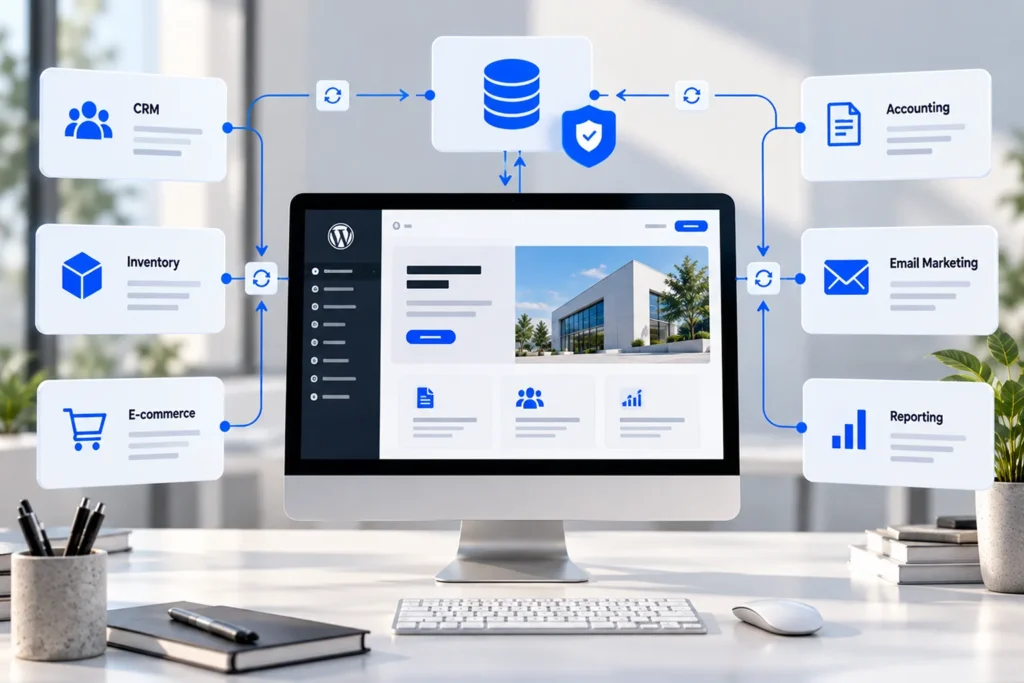
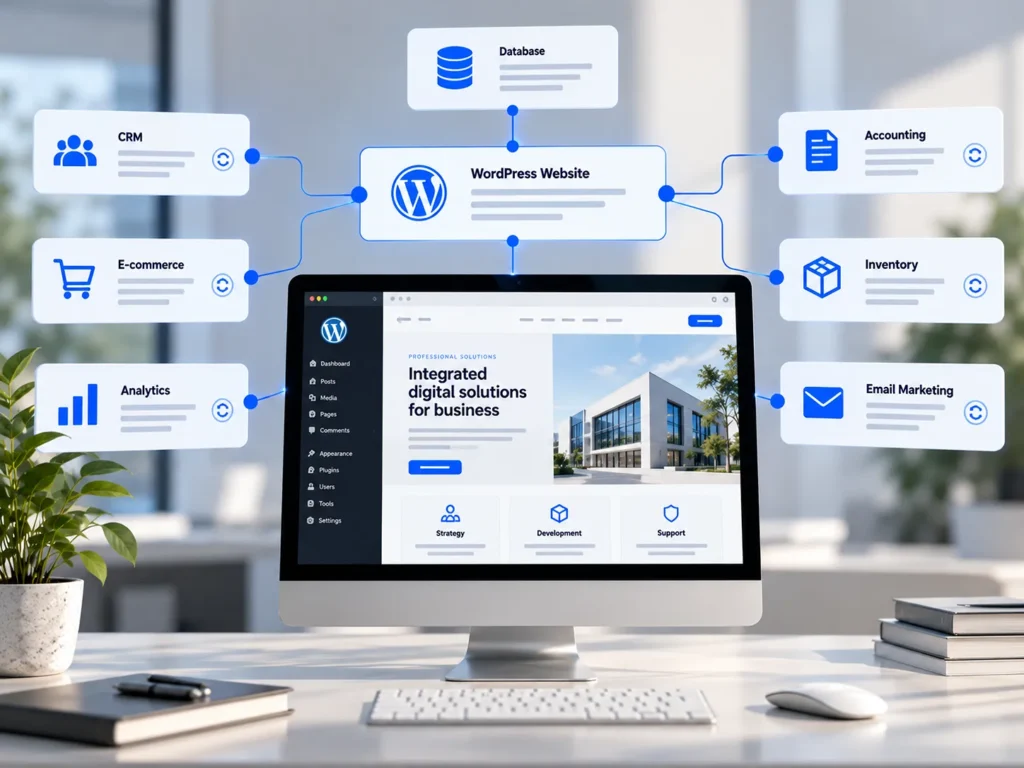
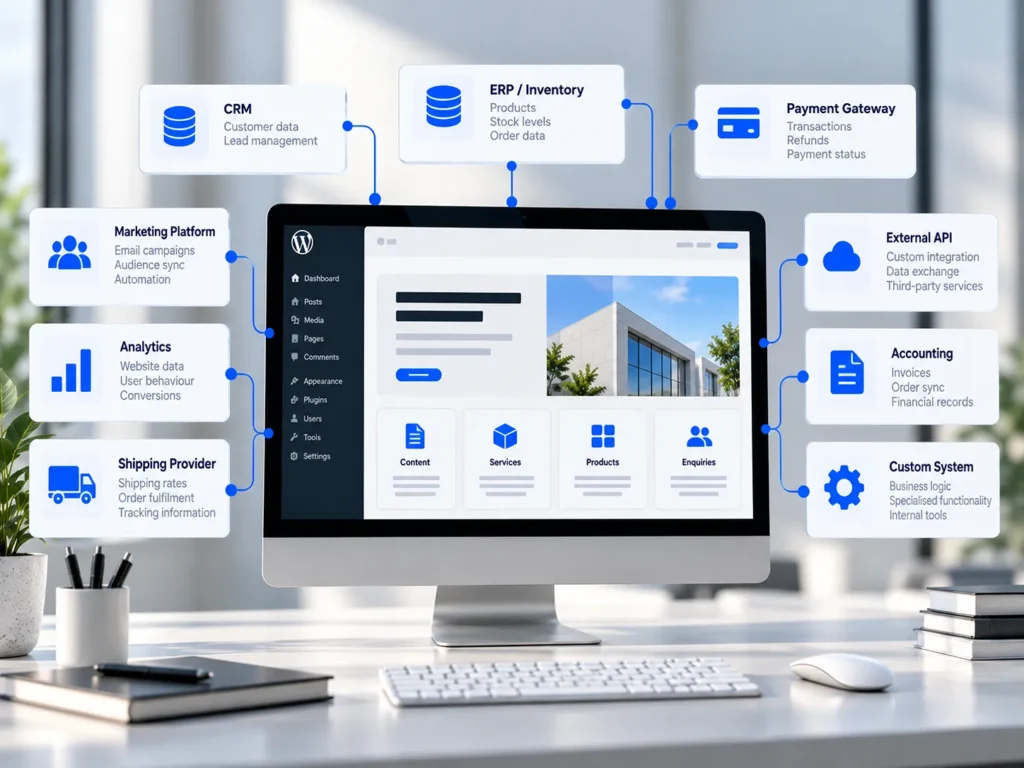
Connecting a WordPress website to another business application can make everyday operations considerably more efficient. Customer enquiries can move directly into a CRM, orders can reach accounting software, and product availability can be synchronized with an inventory management system.
At first glance, these integrations may appear straightforward. One application sends information, another receives it, and the process becomes automated.
In practice, reliable integrations require much more planning.
Information may exist in different formats, systems may use conflicting records, and updates can happen simultaneously. External services can become temporarily unavailable, while seemingly minor changes to an API can affect important business processes.
The technical connection is only one part of the work.
Before development begins, a business needs to establish what information should move between systems, who is responsible for that information, when synchronization should occur, and what happens when something goes wrong.
These decisions determine whether an integration becomes a reliable operational tool or another system requiring constant attention.
Start With the Business Process, Not the API
The first question should not be whether two applications provide compatible APIs.
It should be what the business is trying to accomplish by connecting them.
An integration is valuable when it improves an existing process, reduces duplicated work, or makes important information more consistent.
Define the Operational Objective
Consider a service business that receives enquiries through its WordPress website.
Staff currently review each submission and manually create corresponding records in their CRM.
Automating this process could reduce administration and ensure that enquiries reach the appropriate team more consistently.
But transferring contact information alone may not fully support the workflow.
The business might also need to identify the requested service, assign enquiries to different departments, attach supporting documents, or prevent duplicate customer records.
Understanding these requirements before development helps determine what the integration actually needs to do.
Examine What Happens Before and After Data Transfer
A common planning mistake is focusing exclusively on the moment information moves between applications.
The surrounding process is equally important.
What triggers the transfer? Does someone need to approve the information first? Should WordPress receive confirmation when the other system accepts it?
If the transfer fails, can an administrator correct the problem without submitting everything again?
These questions help define the integration as a complete business process rather than an isolated technical feature.
Establish Which System Owns Each Type of Data
Data ownership is one of the most important decisions in integration planning.
When two applications contain the same information, the business needs to determine which record should be treated as authoritative.
Without this decision, synchronization can create conflicts rather than resolve them.
Identify the Source of Truth
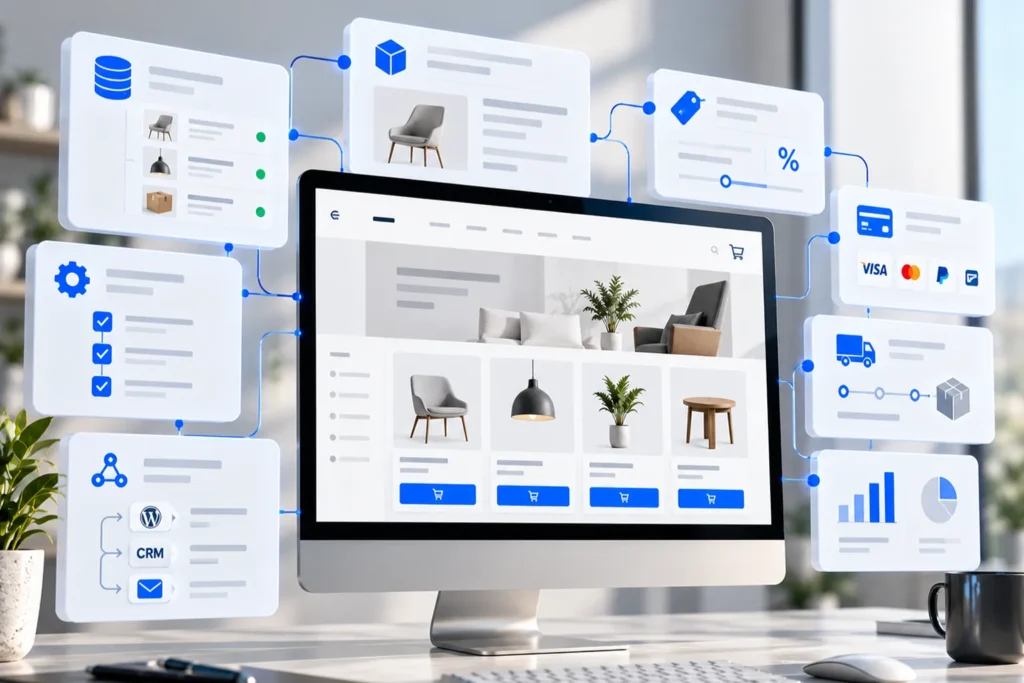
Imagine a WooCommerce store connected to an inventory management platform.
WooCommerce displays stock quantities to customers, while warehouse staff update quantities through their internal inventory system.
If both applications can independently overwrite stock values, changes may be lost.
A better arrangement may be to designate the inventory platform as the authoritative source for stock quantities, while WooCommerce receives updates.
The correct approach depends on the business’s operations, but the responsibility must be explicit.
Different types of data may also have different authoritative systems. WordPress could manage website content, the CRM could manage customer relationships, and accounting software could maintain financial records.
Define How Conflicts Will Be Resolved
Even with established ownership rules, discrepancies can occur.
A customer might update their email address through the website while a staff member modifies the same record in the CRM.
The integration needs a predictable way to handle these situations.
Possible approaches include prioritising a designated system, comparing update timestamps, or requiring manual review for sensitive changes.
The important point is that conflict resolution should be designed intentionally.
Automatically allowing whichever update arrives last to overwrite everything else can produce unexpected results.
Define Exactly What Information Needs to Move
Businesses often describe integration requirements in broad terms, such as connecting WordPress to a CRM or synchronizing WooCommerce with accounting software.
These descriptions are useful starting points, but they do not provide enough detail for implementation.
Map the Data Fields
Each relevant field should have a defined meaning and destination.
For example, a WordPress enquiry may contain a customer’s name, company, email address, selected service, and message.
The CRM might use different field names, require additional identifiers, or expect certain values in a predefined format.
Developers need to establish how these records correspond.
This process is known as data mapping.
It also reveals situations where the necessary information does not exist or cannot be represented directly in the destination system.
Account for Data Quality and Validation
Transferring information does not automatically make it accurate.
Customer records may contain incomplete addresses, inconsistent telephone formats, or duplicated identifiers.
The integration should validate important information before processing it.
Some problems can be corrected automatically. Others may need to be recorded for administrator review.
Validation rules are particularly important when incorrect data could affect fulfilment, invoicing, or customer communication.
A reliable integration should make data quality problems visible rather than silently passing them between systems.
Decide When Synchronization Should Happen
Not every business process requires immediate data synchronization.
Some updates need to happen almost instantly. Others can be processed periodically without affecting operations.
Choosing the appropriate timing can reduce complexity and improve reliability.
Real-Time Events and Scheduled Synchronization
An online order might need to reach the fulfilment system promptly so processing can begin.
By comparison, updating a reporting dashboard once every hour may be entirely sufficient.
Event-driven integrations respond to particular actions, such as an order being created or a customer updating their details.
Scheduled integrations retrieve or exchange information at defined intervals.
Some implementations combine both approaches.
For example, stock updates might be triggered by relevant events, while a scheduled reconciliation checks whether both systems contain consistent records.
Understand APIs and Webhooks
WordPress provides a REST API that allows other applications to interact with supported website resources.
The official WordPress REST API documentation describes its resource-based endpoints and the use of standard HTTP methods and JSON responses.
WordPress Developer Resources
WooCommerce also supports webhooks, which notify external services when selected events occur.
Its developer documentation on webhooks explains their use for events involving products, orders, coupons, and customers.
WooCommerce developer docs
However, choosing between APIs, webhooks, and scheduled processing should follow the business requirements.
The availability of a particular technology does not automatically make it suitable for every synchronization task.
Supporting visual 1 placement: After this section, illustrating WordPress exchanging information with a CRM, inventory system, and accounting platform through different synchronization paths.
Plan for Failures Before They Happen
One of the most significant differences between a basic technical connection and a dependable integration is how failures are handled.
External systems are not available under all circumstances.
Requests can time out, credentials can expire, and API limits can temporarily prevent additional operations.
These conditions should be anticipated during development.
Prevent Duplicate Records and Operations
Suppose WordPress sends an order to an external fulfilment service.
The destination successfully creates the order, but the response is lost because the connection times out.
WordPress may interpret the operation as unsuccessful and attempt it again.
Without protection against duplication, the destination could create the same order twice.
A robust integration can use stable identifiers and idempotent processing so repeated requests do not automatically produce repeated business actions.
This becomes particularly important for orders, payments, inventory movements, and financial records.
Introduce Logging and Recovery Procedures
When synchronization fails, administrators need enough information to understand what happened.
Useful logs can identify the affected record, the attempted operation, the response received, and whether another attempt is scheduled.
Sensitive information should not be exposed unnecessarily in those logs.
Depending on the workflow, failed operations may be retried automatically or placed in a queue for investigation.
Scheduled reconciliation can provide another safeguard by detecting discrepancies that individual event notifications may have missed.
The goal is not to eliminate every possible failure. It is to make failures manageable without corrupting business data.
Security and Access Permissions Must Be Defined Early
Integrations frequently require access to information that is not publicly available.
This makes authentication, authorization, and credential management important design considerations.
Use Appropriate Authentication Methods
WordPress supports Application Passwords for authenticated API access.
These allow applications to use individually revocable credentials without requiring the account’s primary login password.
The official WordPress authentication documentation explains their use with HTTPS and other supported authentication approaches.
WordPress Developer Resources
Credentials should be stored securely, kept out of frontend code, and restricted to appropriate permissions.
A connection that only needs to create enquiries should not automatically receive unrestricted administrative access.
The same principle applies to external platforms.
API access should reflect the actual responsibilities of the integration.
Consider European Data Protection Requirements
When personal data moves between WordPress and another system, GDPR obligations may apply.
Businesses need to understand which organizations process the information, for what purposes, and under which legal arrangements.
The GDPR also establishes security requirements under Article 32 and rules for relationships between controllers and processors under Article 28.
The official GDPR regulation on EUR-Lex provides the relevant legal framework.
Depending on the integration, businesses may need to consider processor agreements, international data transfers, retention policies, and access restrictions.
Custom development can support these requirements through appropriate technical controls, but technical implementation alone does not establish legal compliance.
Decide Whether to Use a Connector or Custom Development
Many popular platforms offer existing WordPress connectors.
These can be effective when business requirements closely match the functionality they provide.
A well-maintained connector may reduce development time and simplify future updates.
However, it is important to understand its limitations before relying on it for critical processes.
Evaluate the Complete Workflow
A connector might successfully transfer new WordPress contacts to a CRM while offering limited support for updates, record matching, or error recovery.
For a basic workflow, that may be enough.
For a company requiring bidirectional synchronization and more detailed business rules, those limitations can become significant.
Before selecting an extension, review which operations it supports, how credentials are managed, how failures are reported, and whether it remains actively maintained.
Our article on when a WordPress plugin is the wrong solution explains when purpose-built functionality may offer better long-term value.
Keep Custom Integrations Maintainable
A custom integration should not depend on undocumented modifications scattered throughout a website.
Business-specific logic is generally better implemented through a dedicated plugin or appropriately structured integration service.
This separates operational functionality from visual presentation and makes updates easier to manage.
The solution should also include documentation covering data mappings, API dependencies, credentials management, and recovery procedures.
Test Integrations Against Real Business Scenarios
A successful test request does not prove that an integration is ready for everyday use.
Testing should reflect the situations the business is likely to encounter.
Validate Unusual and Incomplete Data
Consider what happens when required fields are missing, records already exist, or an external application responds with unexpected information.
For e-commerce integrations, refunds, cancelled orders, partial fulfilment, and product availability changes may require special handling.
For CRM integrations, duplicate contacts, reassigned enquiries, and deleted records deserve attention.
These situations should be included in development testing rather than discovered through live customer activity.
Use a Controlled Launch Process
Where possible, integration testing should take place in a separate environment using test accounts and representative data.
The launch process should then establish how initial records will be imported, how duplicates will be avoided, and how the system will be monitored.
For integrations involving frequently changing data, the transition to live synchronization needs particular care.
Running two competing synchronization processes simultaneously could introduce conflicts.
A controlled deployment reduces the likelihood of disrupting daily operations.
Define Who Will Maintain the Integration
An integration is rarely a one-time development task.
WordPress, plugins, and external applications receive updates. Authentication methods change, API versions evolve, and business processes develop.
The solution needs ongoing ownership.
Document Dependencies and Responsibilities
Businesses should know who is responsible for monitoring failures, updating credentials, reviewing compatibility, and responding when an external service changes.
A critical integration should not rely entirely on one developer remembering how it was built.
Clear documentation makes future maintenance more predictable.
It also helps the business evaluate whether new requirements can be accommodated through the existing implementation.
Monitor Business Outcomes
Technical success is important, but the ultimate purpose of an integration is operational improvement.
A CRM integration might be evaluated by whether it reduces manual data entry and improves enquiry handling.
An inventory integration might be assessed by how consistently stock records match across systems.
These outcomes provide a clearer indication of value than simply counting successful API requests.
Reliable Integrations Begin With Clear Requirements
Connecting WordPress to another system can improve the way a business manages customers, orders, information, and internal processes.
However, the reliability of that connection depends on decisions made before development begins.
Data ownership needs to be established, information must be mapped correctly, synchronization timing should reflect operational needs, and failures require appropriate recovery procedures.
Security, privacy, testing, and maintenance are equally important.
When these responsibilities are clearly defined, developers can select the right technology and build an integration that supports the business rather than creating additional administrative work.
At Designite, we develop custom WordPress functionality and integrations around existing business processes, with an emphasis on predictable data handling and maintainable implementations.
If your website needs to communicate with a CRM, ERP, accounting application, inventory platform, or another business system, contact Designite to discuss the requirements before development begins.
A successful integration is not simply one that connects two systems. It is one that allows them to work together reliably.